Observability & Replay
The hard part of RAG is not getting it to run — it's knowing why an answer went wrong. ollmo records every Agent graph execution in full: which nodes it walked, how many retrieval hits it got, why a condition branched one way, and how long each step took — all replayable.
Execution history
Knowledge base → "History" tab lists every Agent graph run, filterable by source (chat vs. test runs):
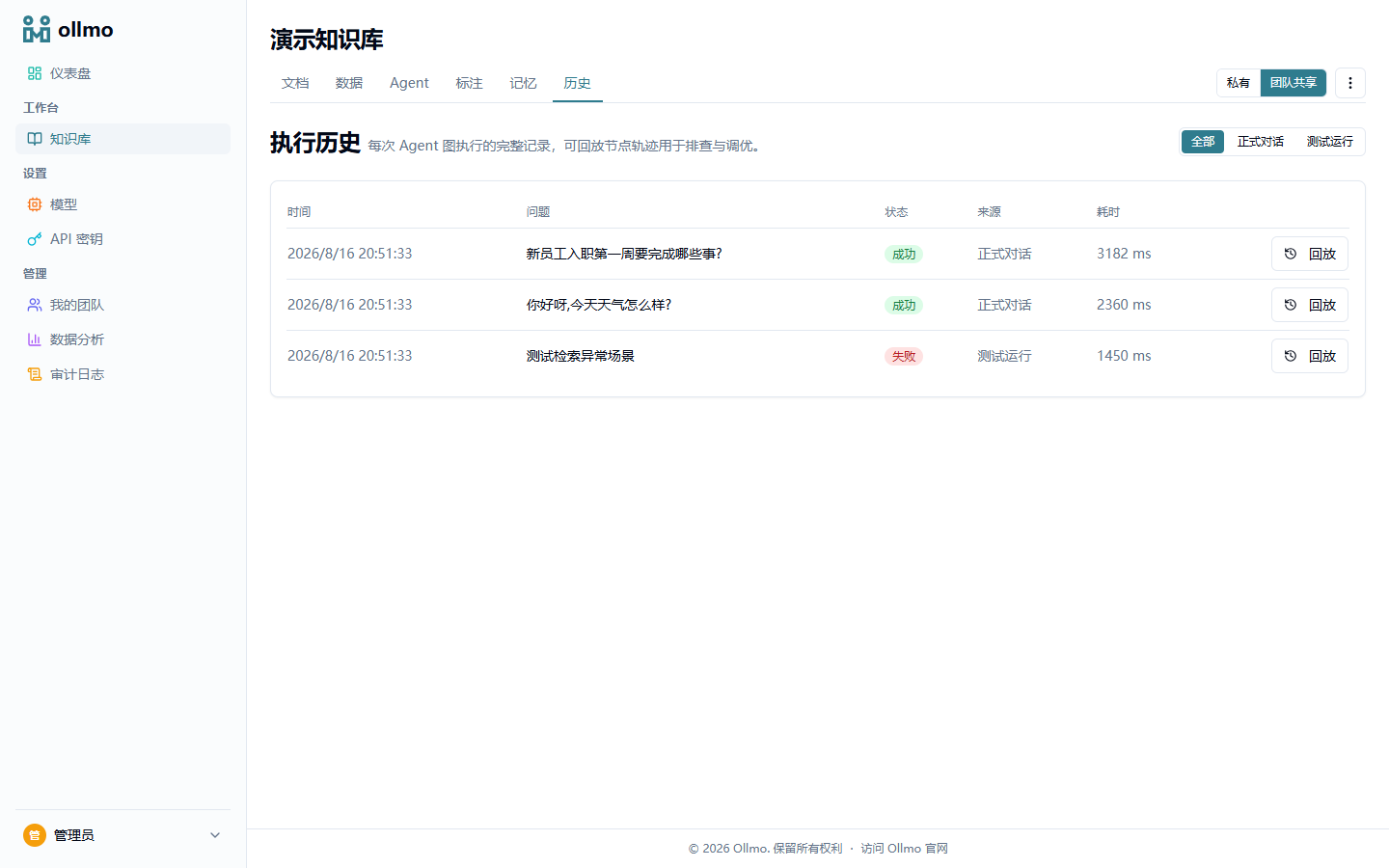
Each record shows the question, status, source, and total duration.
Execution replay
Click "Replay" to open the run: the question and answer, a read-only canvas with the walked path highlighted (nodes carry runtime status and timing badges), and an ordered step timeline:
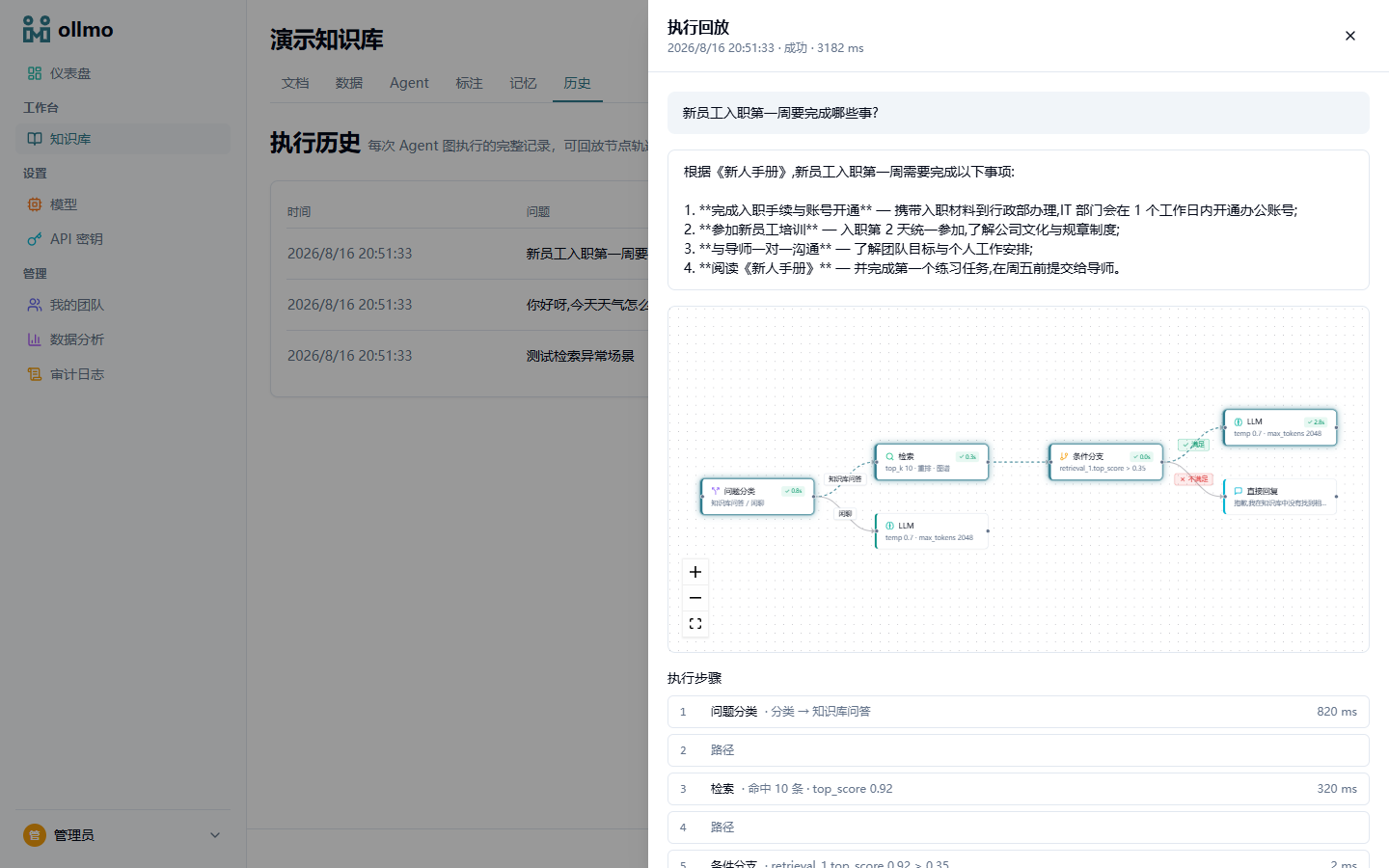
The timeline records the behavior of every step in detail, e.g.:
- The classifier's decision ("classified → KB Q&A");
- Retrieval hit count and top score (
10 hits · top_score 0.92); - The condition's verdict (
retrieval_1.top_score 0.92 > 0.35); - The failure reason of a failed node (e.g. "Milvus connection timed out").
One-click bad-case tracing
Downvoted answers surface in the analytics feedback list; from there you can jump straight into the execution replay that produced that answer — and see whether the classifier misrouted, retrieval missed, or the model drifted. No log digging, no reproducing the incident.
Why it matters
- Tune with evidence: after changing prompts, rerank, or chunking, compare execution traces to quantify the effect;
- Debug with context: when a user reports a wrong answer, open that run's replay and locate the failing step in seconds;
- Audit with records: per-step timings and decisions are traceable, satisfying enterprise governance requirements.
:::tip Pair with retrieval testing Execution replay answers "why did it go this way"; retrieval testing answers "what did it hit". Together they form a complete retrieval tuning workbench. :::