Model Configuration
ollmo uses three kinds of models:
| Model | Purpose |
|---|---|
| LLM | Generate chat replies, intent classification, auto-summary |
| Embedding | Vectorize document chunks and queries |
| Rerank | Re-rank retrieval results for higher hit accuracy |
Models are organized into provider cards: a provider is one API endpoint + one API key + the models bound under it. Open "Settings → Model Settings" to manage them:
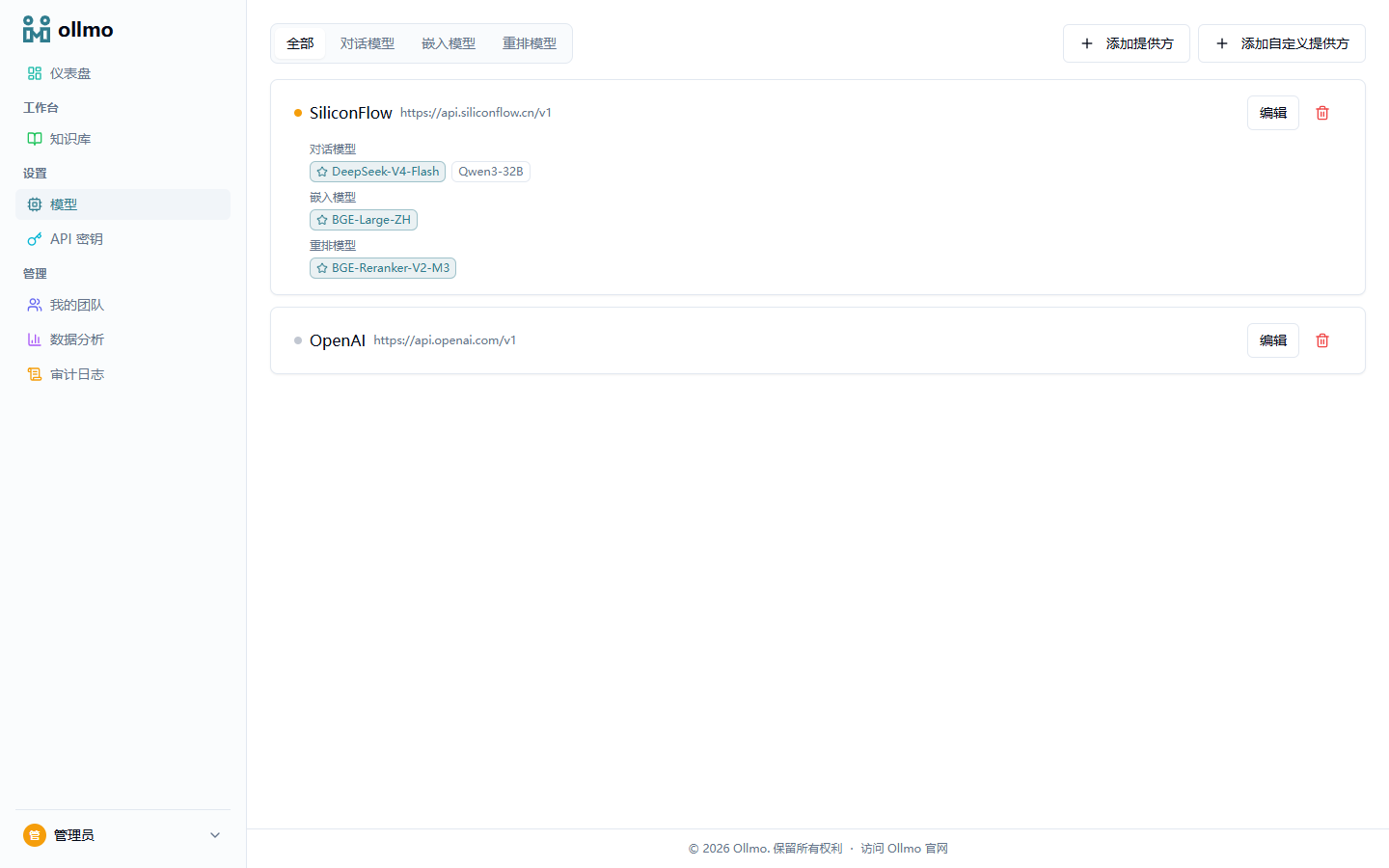
Add a provider
Click "Add provider", pick from the built-in catalog (e.g. SiliconFlow, OpenAI, DeepSeek), enter the API key, and tick the models you want to enable:
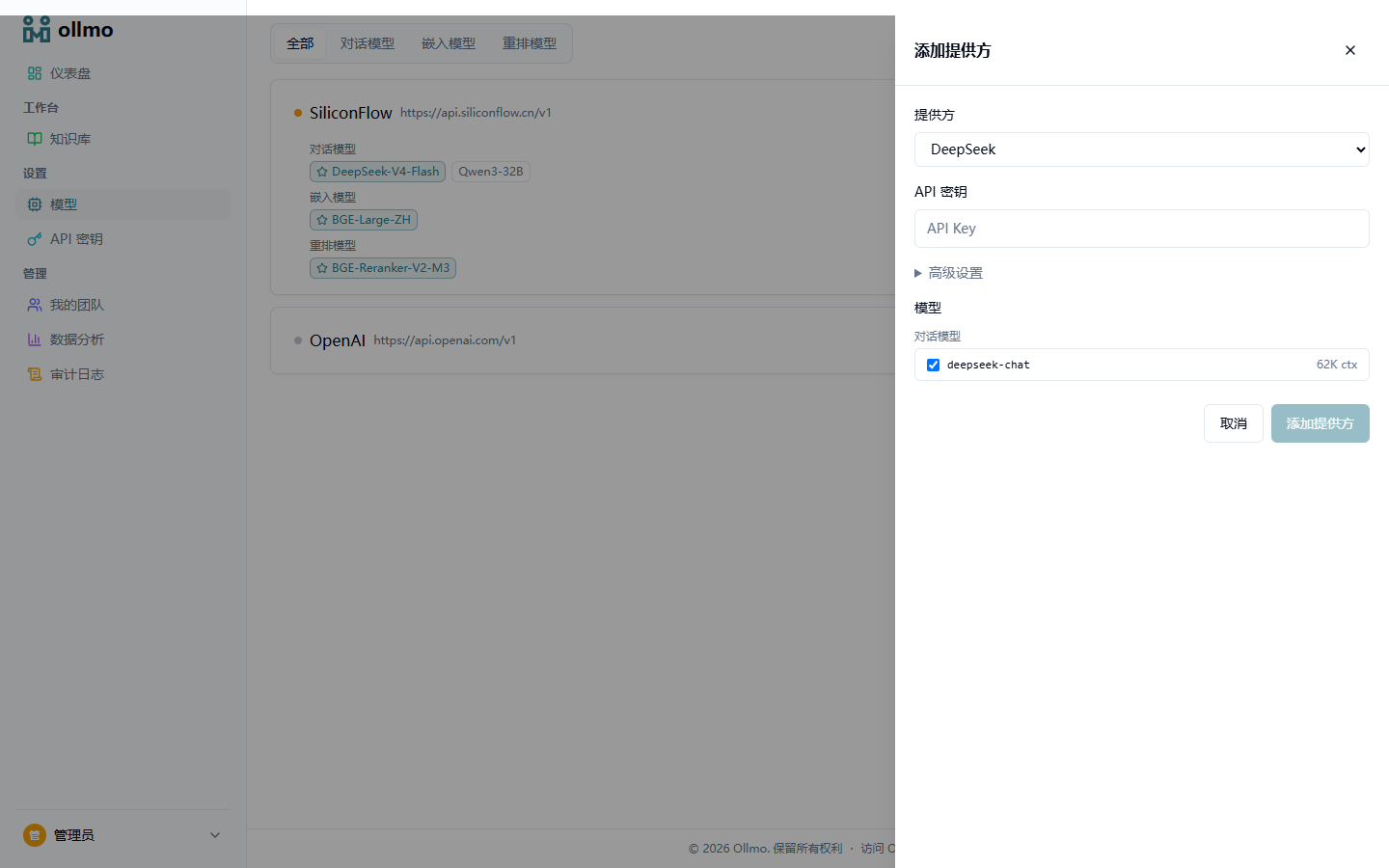
You can also use "Add custom provider" to connect any OpenAI-compatible endpoint. After saving, use "Fetch available models" on the card to pull the model list from the endpoint and tick models to add.
KB-level model selection
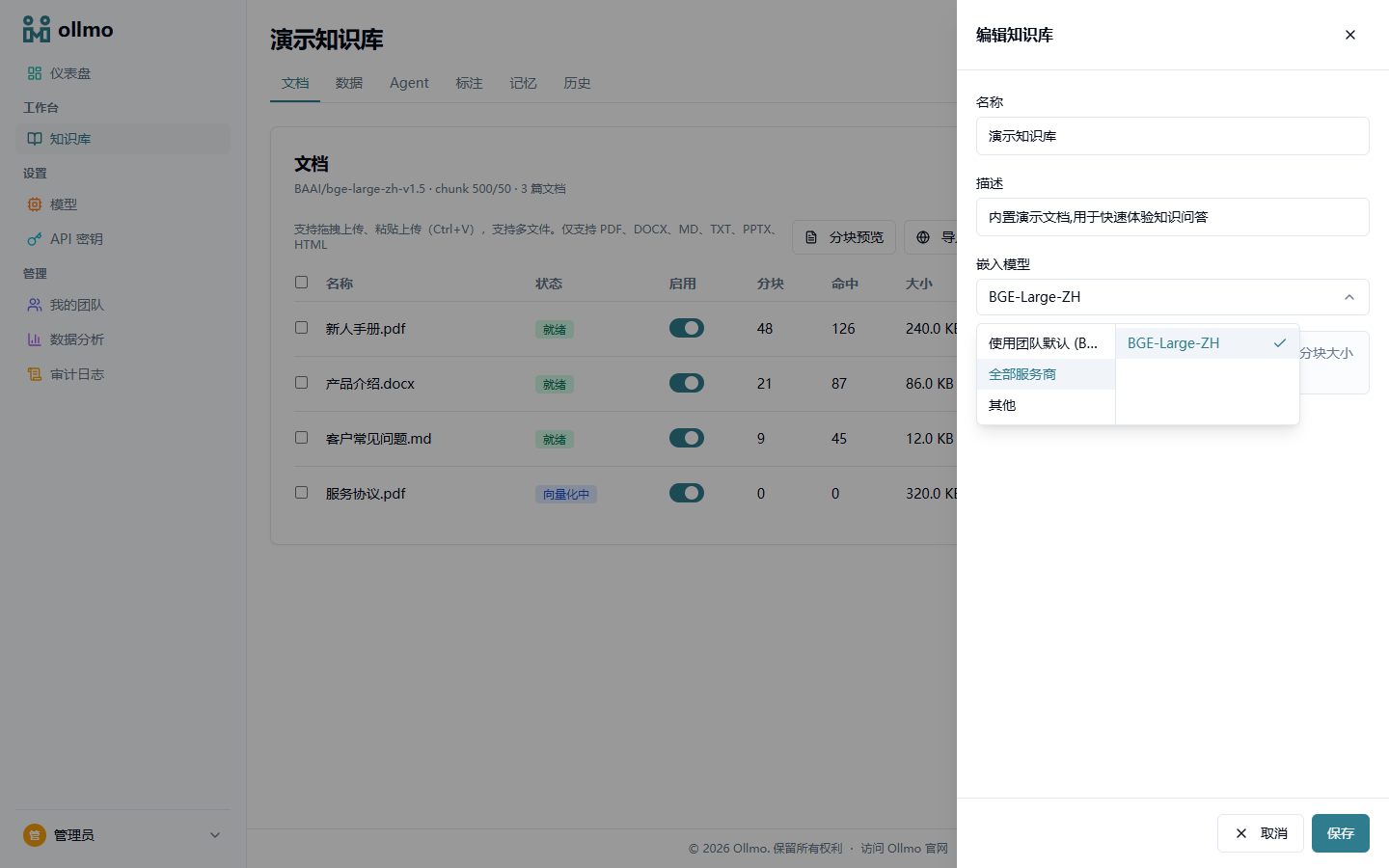
Each knowledge base can specify its own Embedding and Rerank models (edit knowledge base → model dropdown). The picker lists providers on the left and that provider's models on the right:
Selection priority
Models take effect with the following priority, and KB-level configuration wins over everything:
KB configuration → tenant default → config.yaml fallback
- KB configuration: specified individually in the knowledge base edit drawer (Embedding / Rerank; LLM is specified in the Agent canvas);
- Tenant default: the model marked "Default" on the Model Settings page;
- config.yaml: the backend default configuration fallback (see Docker Deployment).
Model testing
Every model card provides a connectivity test, with the result (pass/fail) shown as a color badge on the card. The picker lists all active models — the test status is informational only and does not hide models that failed, so use it to decide which models to select. Changing a knowledge base's Embedding model triggers a full re-embedding — existing documents are re-indexed with the new model.
:::tip Recommended starting configuration For direct access from China, SiliconFlow is recommended: DeepSeek series for LLM, BGE-Large-ZH for Embedding, and BGE-Reranker-V2-M3 for Rerank. The install wizard pre-configures this combination for you — just fill in your API key. :::