Agent Canvas
Every knowledge base has a visual Agent canvas (built on React Flow) for orchestrating the conversation pipeline:
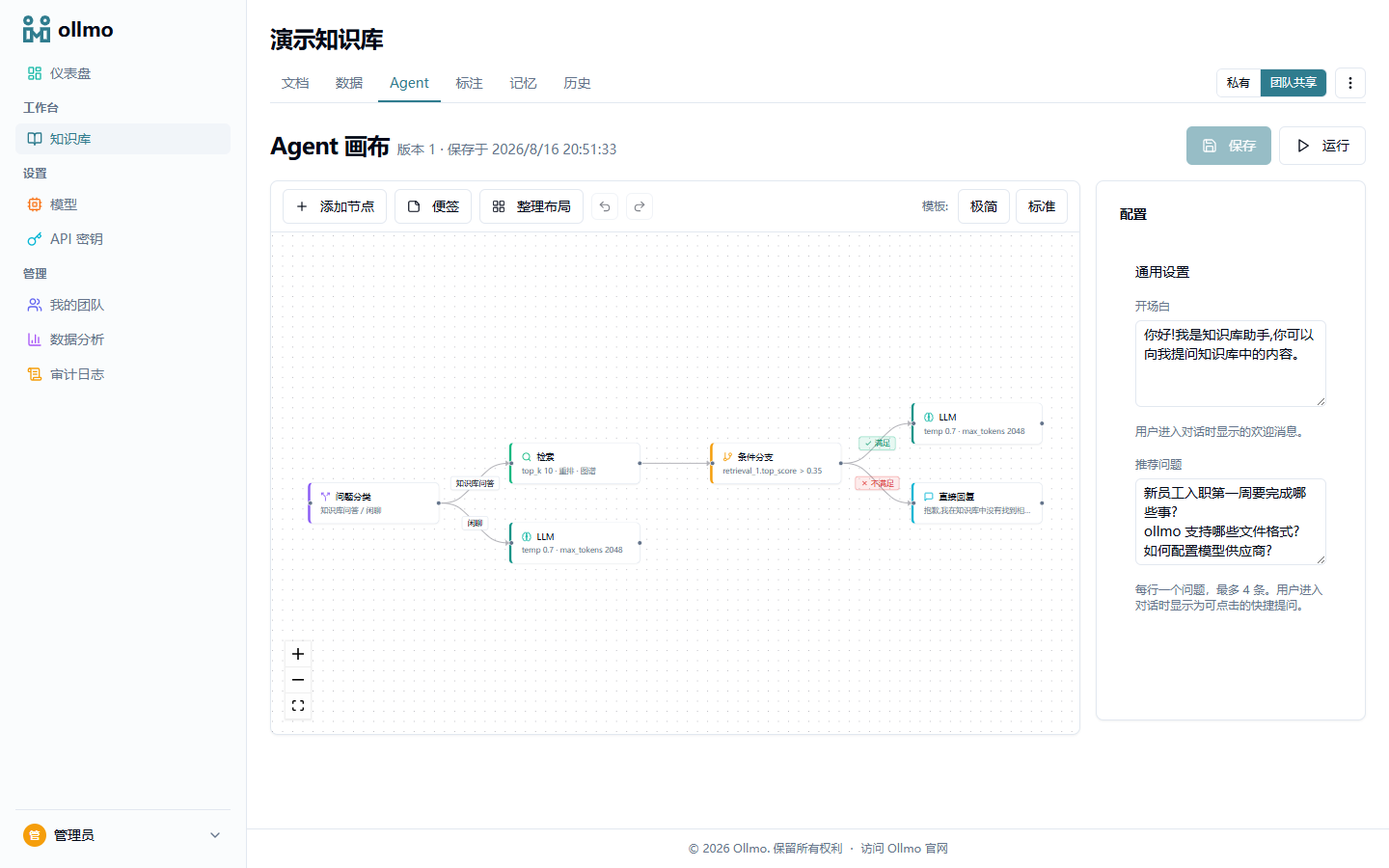
Node types
| Node | Color | Purpose |
|---|---|---|
| Intent classification | Violet | Route user input to different branches |
| Retrieval | Green | Retrieve relevant content from the KB |
| Condition branch | Amber | Branch based on conditions (e.g. retrieval_1.top_score > 0.35) |
| LLM | Blue | Call the large language model to generate a reply |
| Direct reply | Cyan | Return fixed text |
| Sticky note | — | An annotation inside the canvas; not executed |
Node outputs are referenced in prompts and conditions via variables (e.g. {retrieval_1.top_score}), and LLM chaining is supported.
Templates
- Minimal template: retrieval → LLM — two nodes, the simplest knowledge-base Q&A chain (works out of the box, no manual orchestration)
- Standard template: intent classification → retrieval → condition branch → LLM / direct reply + a small-talk branch, for knowledge-base Q&A
Configuration
- System prompt (LLM node)
- Opening message and app-level configuration (temperature, top_k, Rerank toggle)
- LLM provider selection
Run test
The test drawer on the right supports real-time chat to verify the pipeline and shows today's message quota usage. During execution, nodes and edges highlight in real time as the pipeline progresses, showing the flow intuitively; closing the test drawer restores the canvas to its original state. Per-node debugging is supported, letting you inspect a node's output variables directly.
Run traces and per-step timings are available in execution replay.